Billing & Payments
This section is for managing the workspace's subscription plans, credits, and payment methods. All payment-related information is strictly managed for security.
1. Subscription History
-
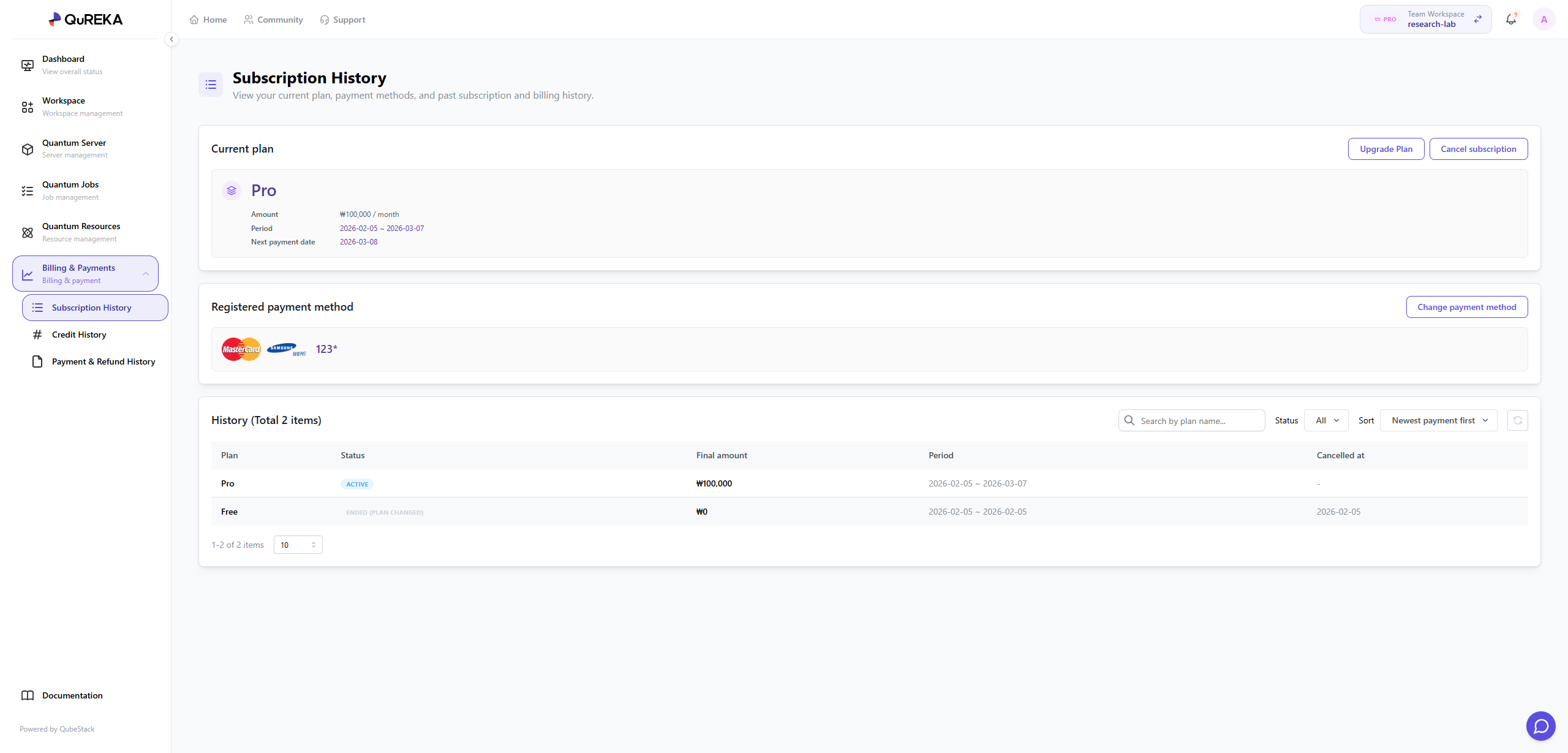
Current Plan: You can check the subscription plan currently in use and, if necessary, upgrade to a higher plan or cancel the current subscription.
-
Registered Payment Method: You can register a payment method for recurring subscription payments.
-
Security Notice: Only the Workspace Owner can register or change payment methods; this area is not visible to other members.
-
-
History: You can review the past subscription payment history of the workspace. Subscriptions are automatically renewed every 30 days by default.
2. Credit History
Manage the status of credits used for quantum jobs and server usage within the workspace and track the consumption flow within the organization.
-
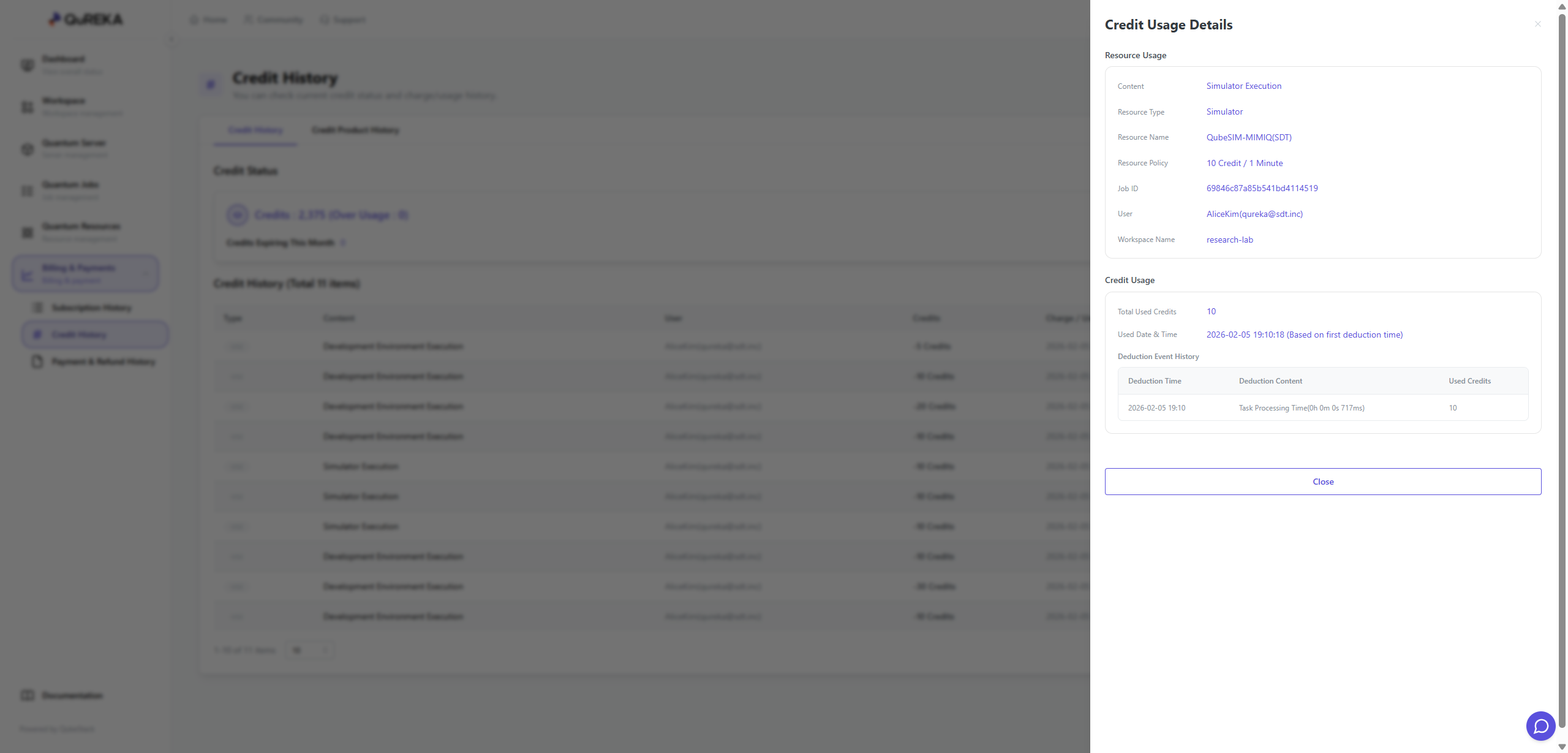
Credit Status: Check the remaining credit balance in real-time. If credits are insufficient, you can purchase additional credits via the [Purchase] button.
-
Credit History: You can view all records of credit recharges (purchases) and usage (deductions).
-
Organization Consumption Monitoring: It provides detailed logs of how all members within the workspace have consumed credits (e.g., quantum server usage, quantum job submissions), allowing for transparent cost management and tracking at the organizational level.
-
3. Payment & Refund History
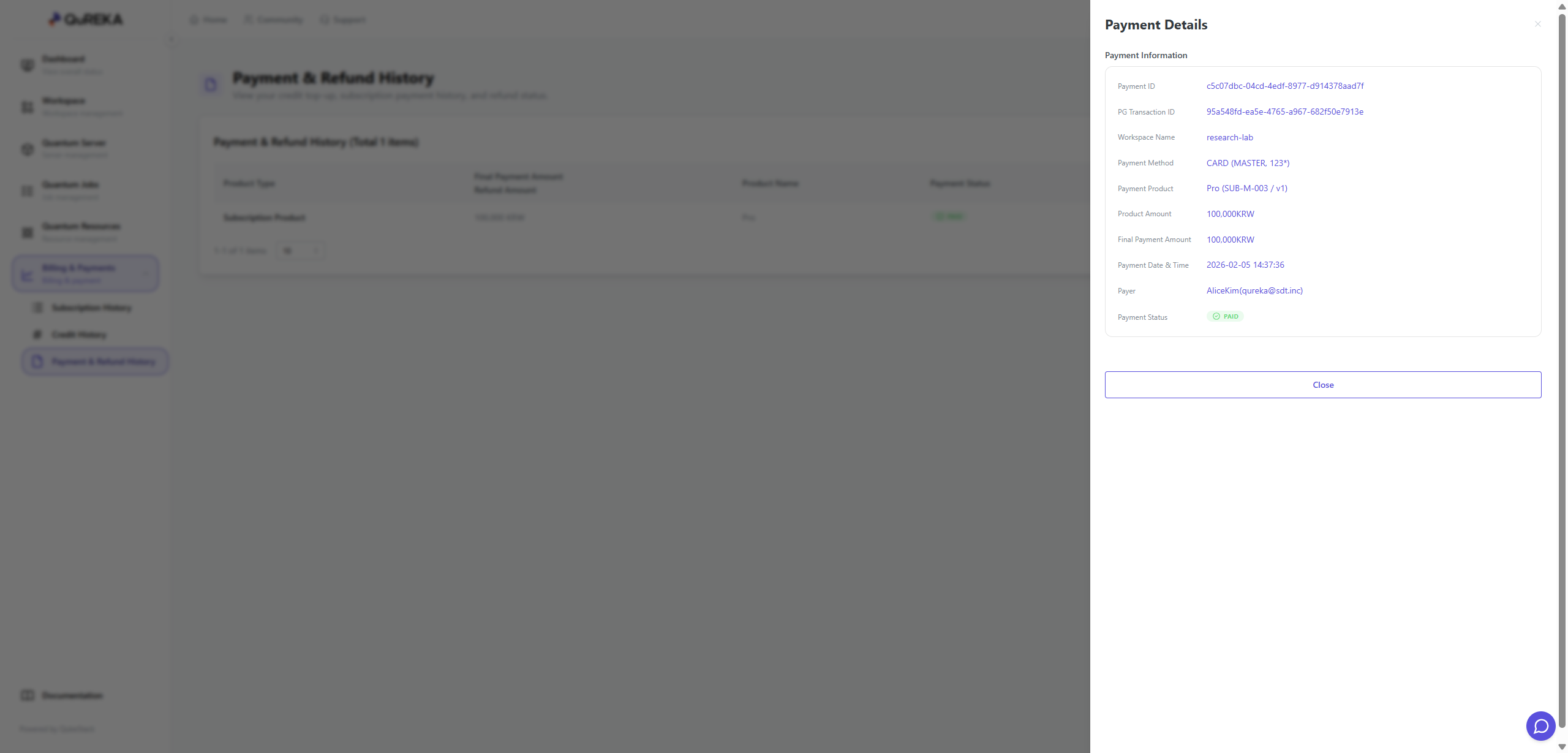
Monitor all financial transaction records that occurred within the workspace.
-
You can collectively view all Purchase History, such as subscription payments and credit recharges, as well as Refund History resulting from cancellations.
No comments to display
No comments to display