Quantum Jobs


양자The 작업Quantum 화면은Jobs 워크스페이스에서page 실행한is 양자where 작업들을you 모니터링하는can 곳입니다.monitor the quantum jobs executed within your workspace. It allows you to track the progress of all submitted tasks and conduct a detailed analysis of the results for completed jobs.
양자 작업은
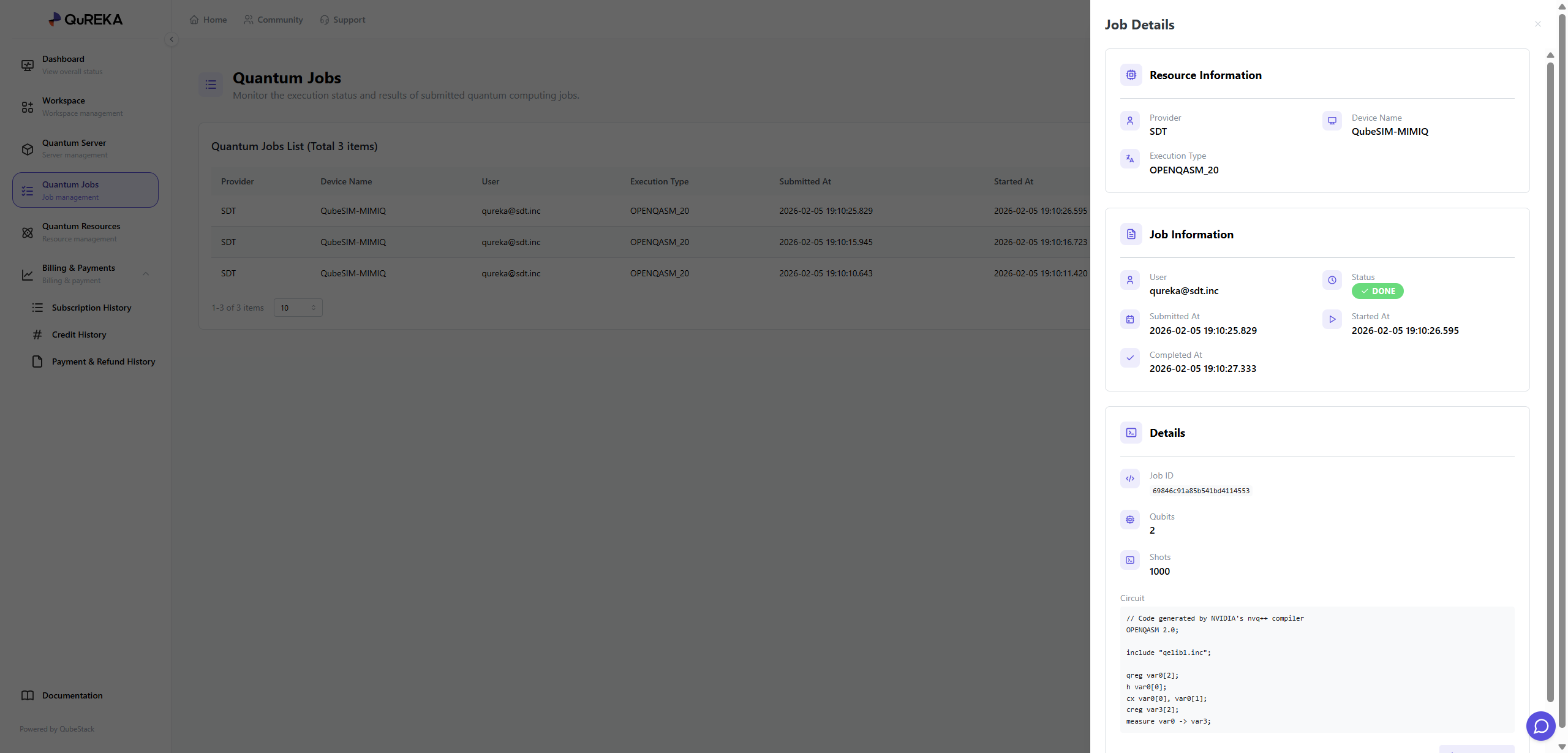
1. 구별됩니다.Quantum Jobs List
Quantum jobs executed in the workspace are identified and distinguished by the following information:
Provider: 제공자The provider of the quantum resources.
Device Name: The name of the hardware or simulator used to execute the job.
User: The user who submitted the job.
Execution Type: The specific execution type of the job.
Submitted At: The date and time the job was submitted.
Started At: The date and time the job execution began.
2. Job Details
By selecting a specific job from the list, you can view more in-depth information via the details panel on the right:
Status: Displays the current status of the job (또는e.g., 시뮬레이터DONE, 이름)RUNNING, PENDING, FAILED).
Completed At: The date and time the job was finally completed.
Job ID: The unique identification number for the task.
Qubits: 일시The number of qubits utilized in the circuit.
Shots: 일시The number of times the circuit was repeatedly executed.
Circuit: 일시Allows you to directly review the submitted quantum circuit code.
3. Result Verification and Download
사용자는Users 완료된can 작업review 결과를the 확인하고results 다운로드할of 수completed 있습니다.(DONE) jobs on the details screen and download the data if necessary.