Notebook


Notebook은QuREKA JupyterLabLab 기반의provides a powerful Python 개발development 환경입니다.environment based on JupyterLab, supporting an efficient workflow through dedicated extensions and AI-powered tools optimized for quantum algorithm development.
사용자는
새로운
1. Jupyter Notebook 파일을Environment
Python-Based 착수할Development: 수Utilize 있습니다.standard 또한Python QuREKAlibraries 내and QubePad에서quantum 제공하는computing 독자적인frameworks 시각화within 기능을a 통해JupyterLab-based 개발environment.
Instant 실행Start: 결과를Create 모니터링할new 수 있습니다.
Task
사용자는 Task 탭에서 제출한 양자 작업을 모니터링할 수 있습니다.
Resourece
QuREKA에서 사용가능한 양자 자원 목록입니다.
User
현재 사용중인 사용자 계정 정보를 확인합니다.
Debugger
Jupyter Notebook 디버거입니다.files and begin development immediately.
Sample Files Provided: Sample Notebooks containing example code for major quantum algorithms are provided by default to assist with learning and practice.
2. Dedicated Extensions and Support Tools
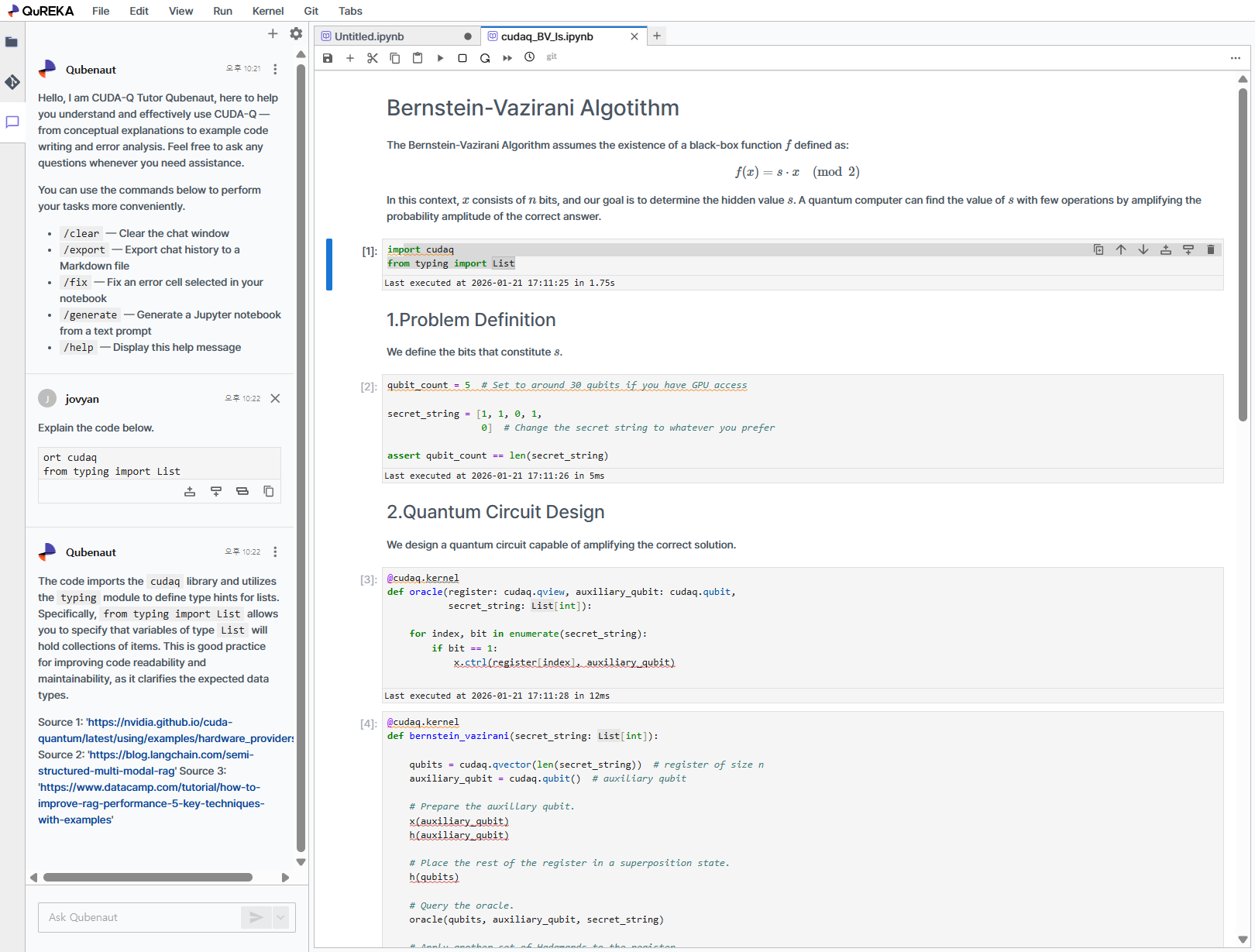
QuREKA Lab places optimized tools in the left and right sidebars for development convenience.
AI Assistant (Left Panel): Provides AI-powered assistance for quantum algorithm development and coding. You can easily access the conversational assistant from the left sidebar to receive support for complex implementation processes.
Right Panel Extensions:
Task (Job Monitoring): Monitor the real-time status and success/failure of your submitted quantum jobs.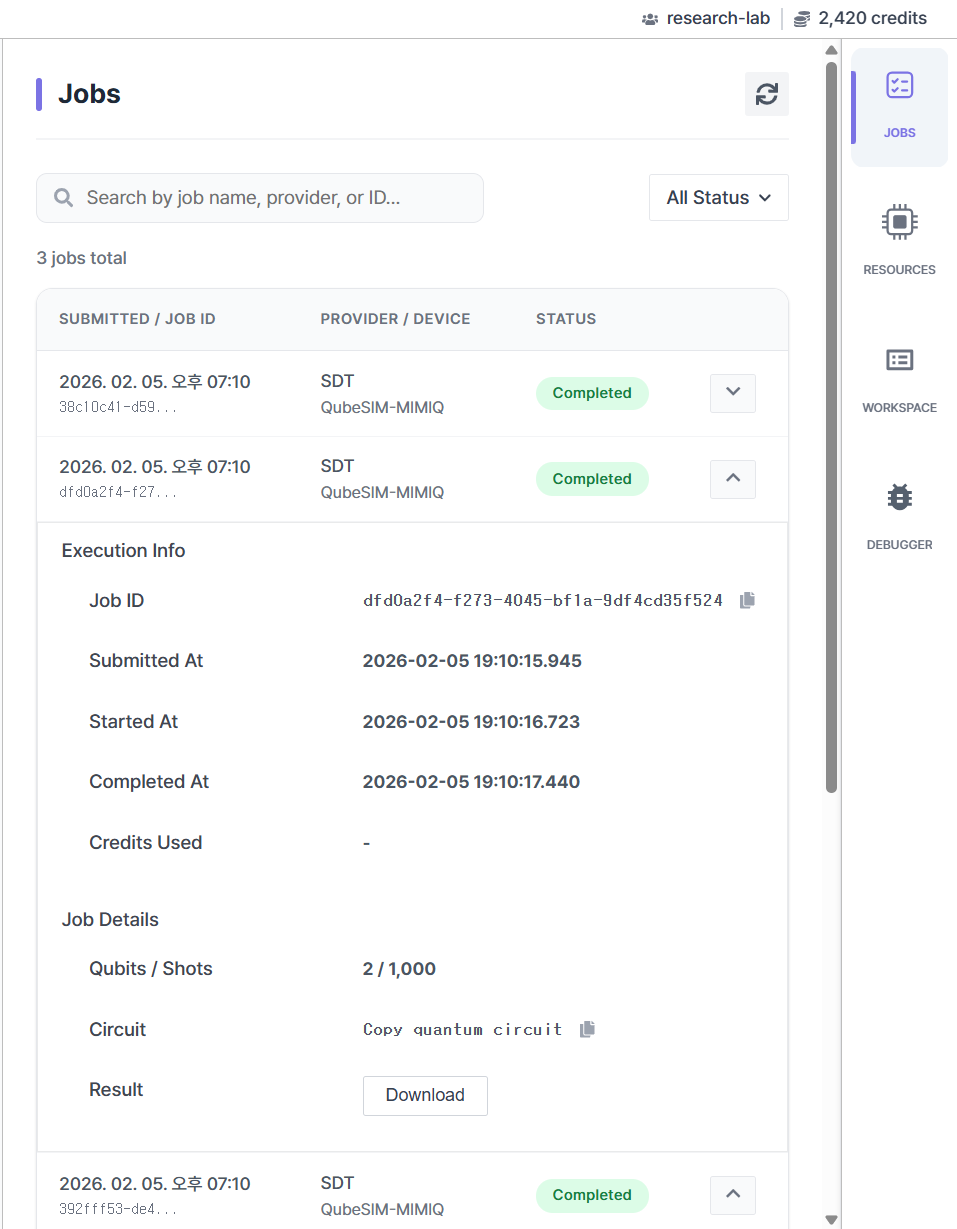
Resource (Resource Information): View a list of available QPUs and simulators along with their detailed specifications.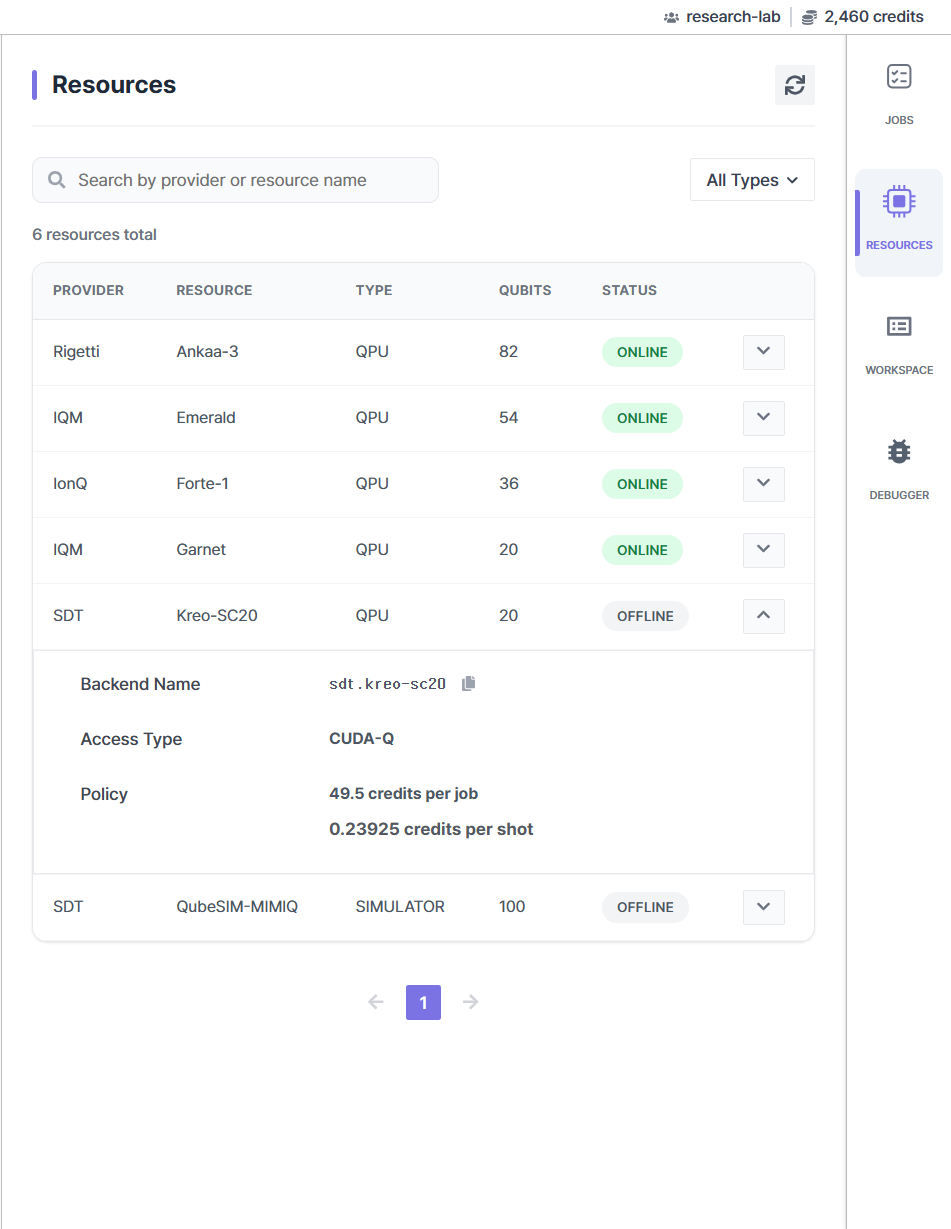
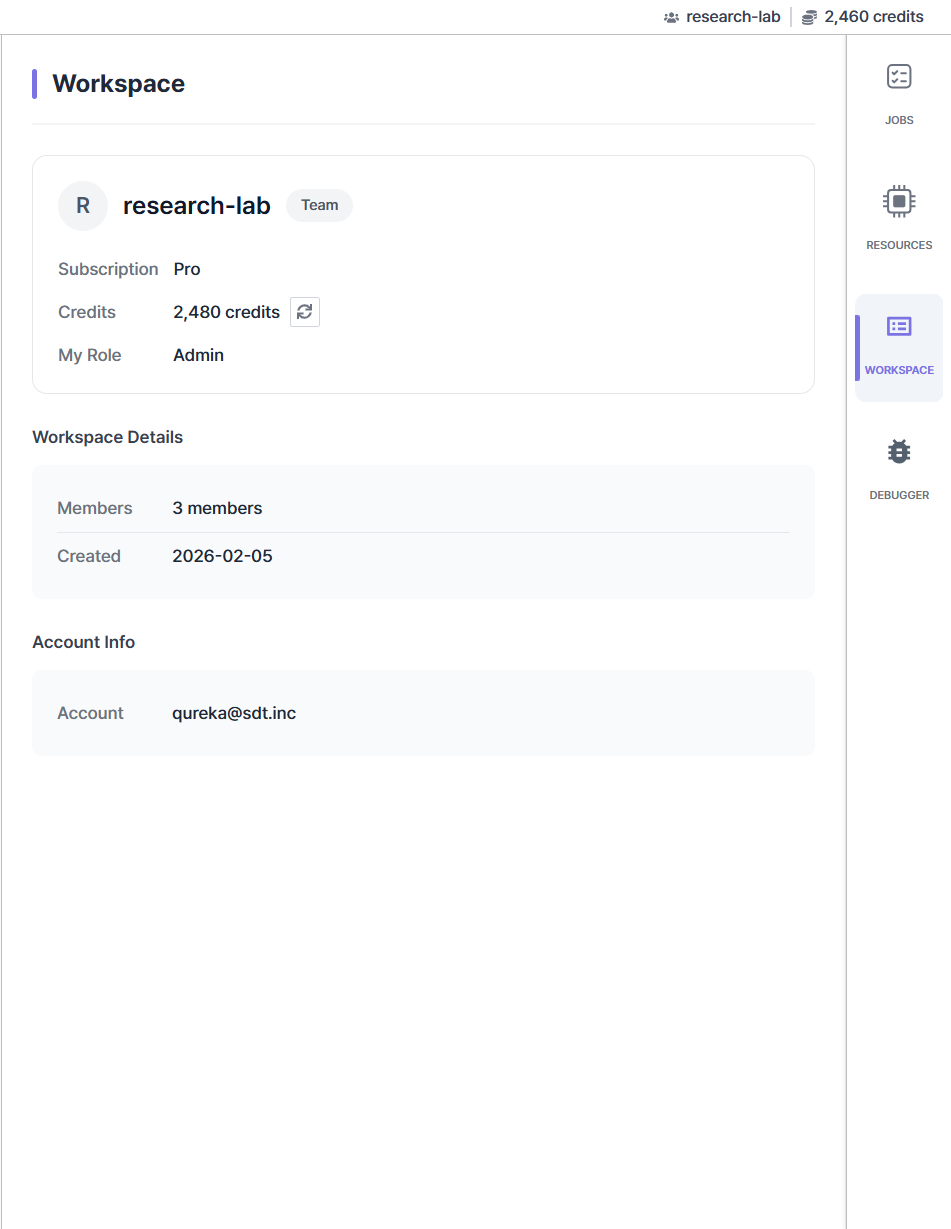
Workspace (Workspace Information): Check current workspace details and your real-time credit balance.