Dashboard
The Dashboard is the central hub of QuREKA, where you can manage Quantum Servers, handle subscription plans, and monitor job trends and lists at a glance.
By using the configuration button on the upper right, users can customize the dashboard with their preferred components (widgets). Each item’s position and size can be freely adjusted to create an optimized layout tailored to the user's needs.
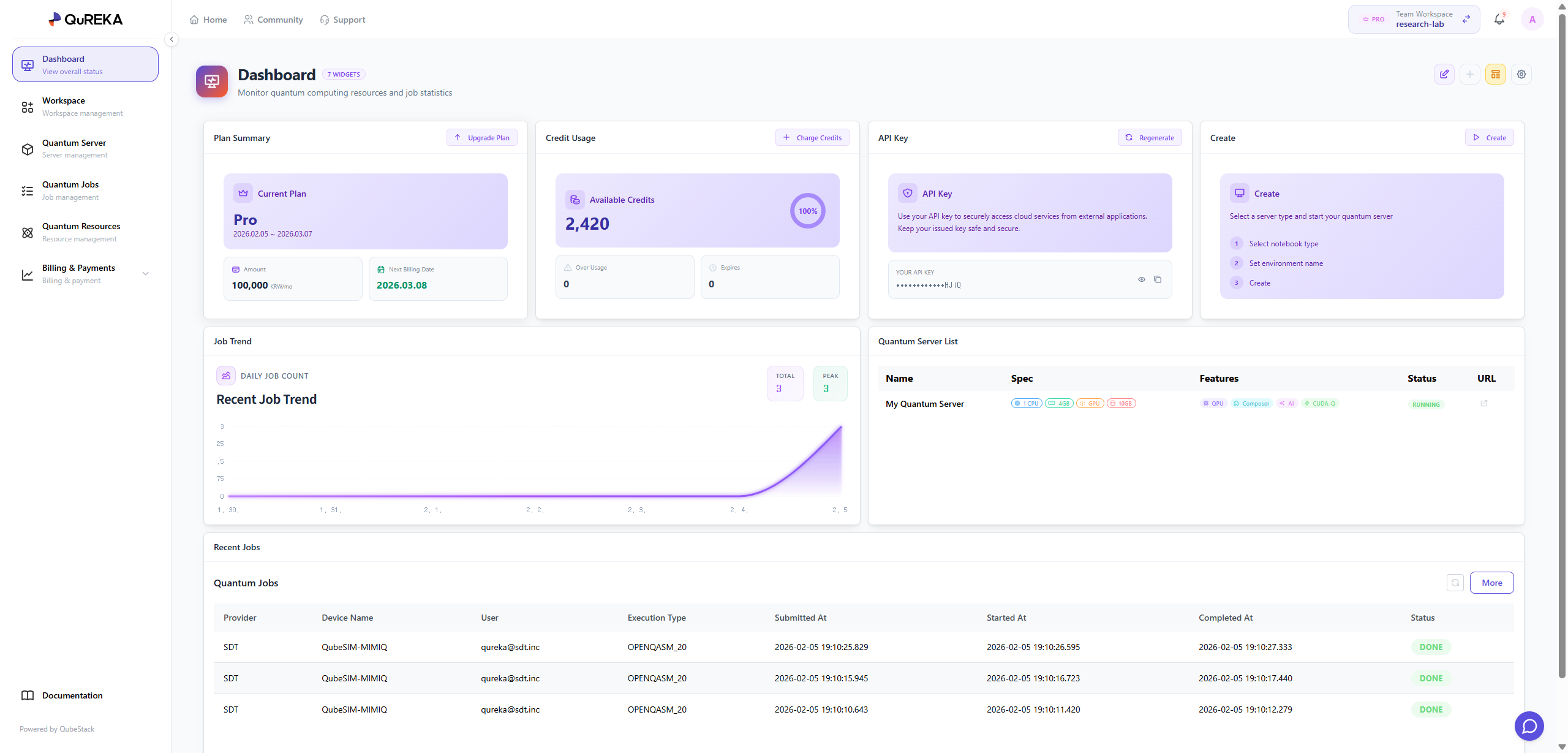
Key Dashboard Components
Plan Summary
-
View and manage the current subscription plan of the workspace.
- For security and billing management, only the Workspace Owner has the authority to change the subscription plan.
Credits Usage
-
Monitor the remaining credits and current usage status of the workspace in real-time to manage your budget effectively.
API Key Management
-
Manage the unique API key assigned to each individual within the workspace.
-
This key is mandatory for user authentication when submitting quantum jobs. Reissuance features are provided for security in case of key exposure.
Quantum Server
-
Manage dedicated computational resources for quantum algorithm development.
-
You can immediately create a Quantum Server via the [Create] button. Once created, you can start developing in the following environments:
-
Notebook: A code-based development environment powered by JupyterLab.
-
Composer: A GUI-based environment for designing quantum circuits using drag-and-drop functionality.
-
No-code: A simplified development environment that requires no coding (scheduled for a future update).
-
-
Note: The available types and specifications (vCPU, RAM, GPU, etc.) of Quantum Servers depend on your current Subscription Plan.
Job Trend
-
Provides a visual representation of the daily trend for quantum jobs executed within the workspace, helping users understand their usage patterns.
Recent Jobs
-
Quickly check the list and status of the most recent jobs in the workspace.
-
Click the [More] button to navigate to the Quantum Jobs tab for a detailed history of all tasks.